
Buying a Nôs Ferry ticket online
Nôs Ferry tickets used to be sold only at the counter. This is how buying one online works, from picking the departure to the email with the tickets.
Nôs Ferry runs the crossing between São Vicente and Santo Antão. Every ticket it sold used to go through the counter at the port: the passenger came in, gave their details, paid and left with the ticket. The company needed a way to sell tickets online, and nosferry.com is what I built for it. Now a passenger can buy before leaving home, and the counter no longer handles every sale.
This post walks through the purchase the way a passenger sees it.
Picking the trip
The booking starts with One Way or Round Trip, then the route, the date and the departure time. Each departure in the time list can carry a label. When ten seats or fewer are left, it says how many (“3 seats left”), and when the boat is full it says “Sold out”. In the screenshot both departures still have plenty of room, so neither label shows.
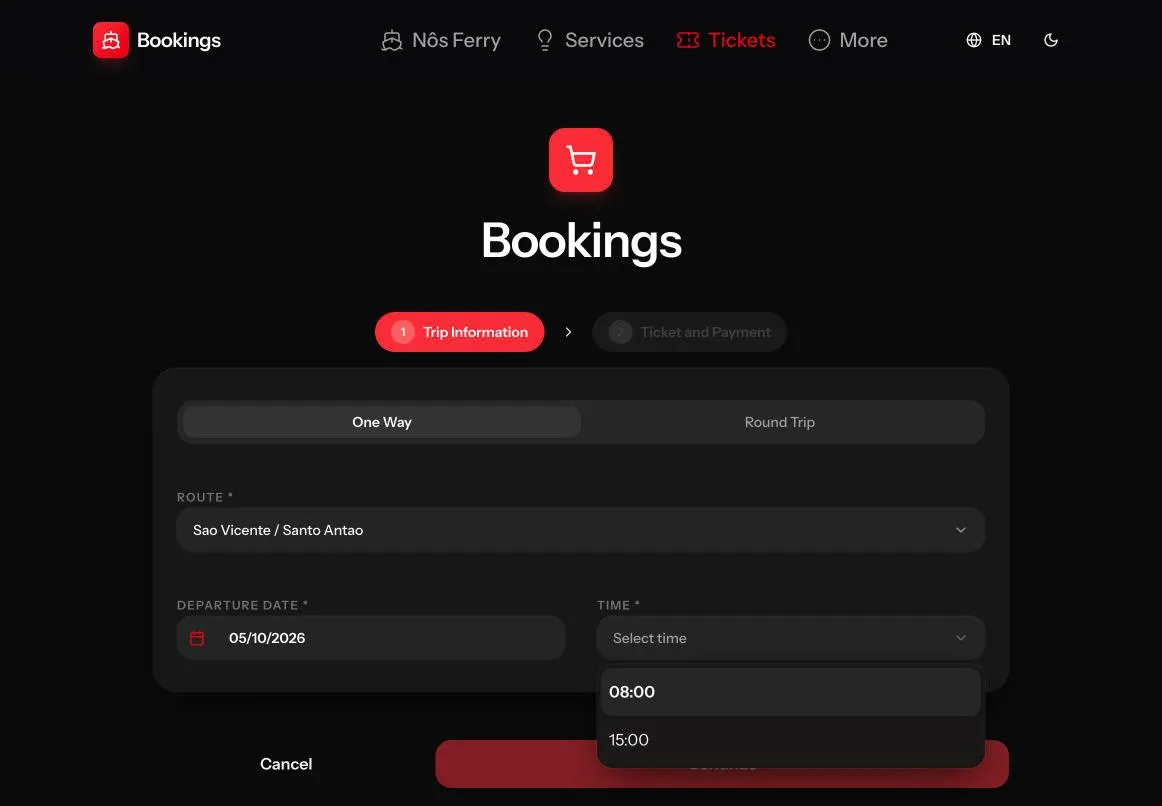
That list is a snapshot of the moment it loaded, and two people can be after the last seat at the same time. So the site checks capacity again when the passenger continues past this step, again when the checkout opens, and once more right before payment. If the trip filled up in between, the passenger is asked to pick another departure instead of paying for a seat that’s gone.
Passengers and their documents
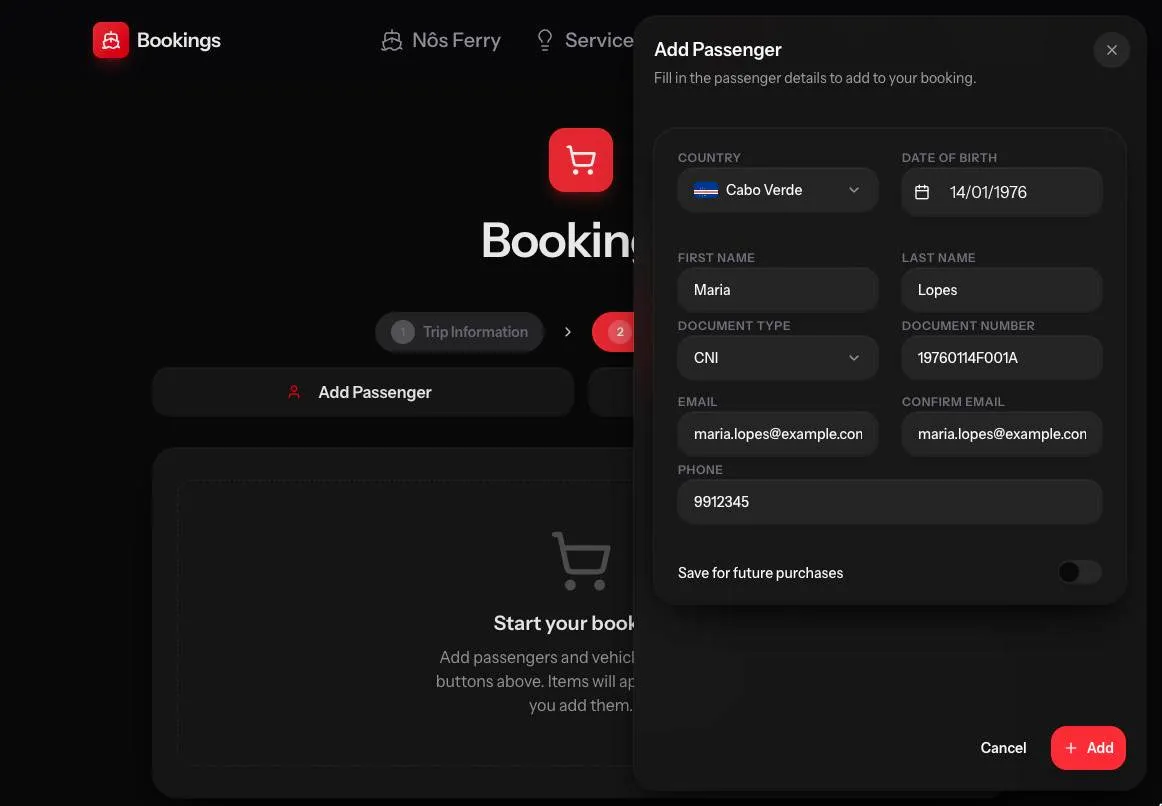
Each passenger is added through a dialog. Country and date of birth come first, because they decide the fare. Maria Lopes, from Cabo Verde and born in 1976, gets the national adult ticket.
The document list starts with the CNI, the Cabo Verde national identity card, and the site checks the number before accepting it: eight digits for the date of birth (year, month, day), then M or F, three digits, and a check character at the end. A mistyped number is flagged right there in the dialog. The BI, passport, driving licence and cédula are accepted too.
Checkout in three steps
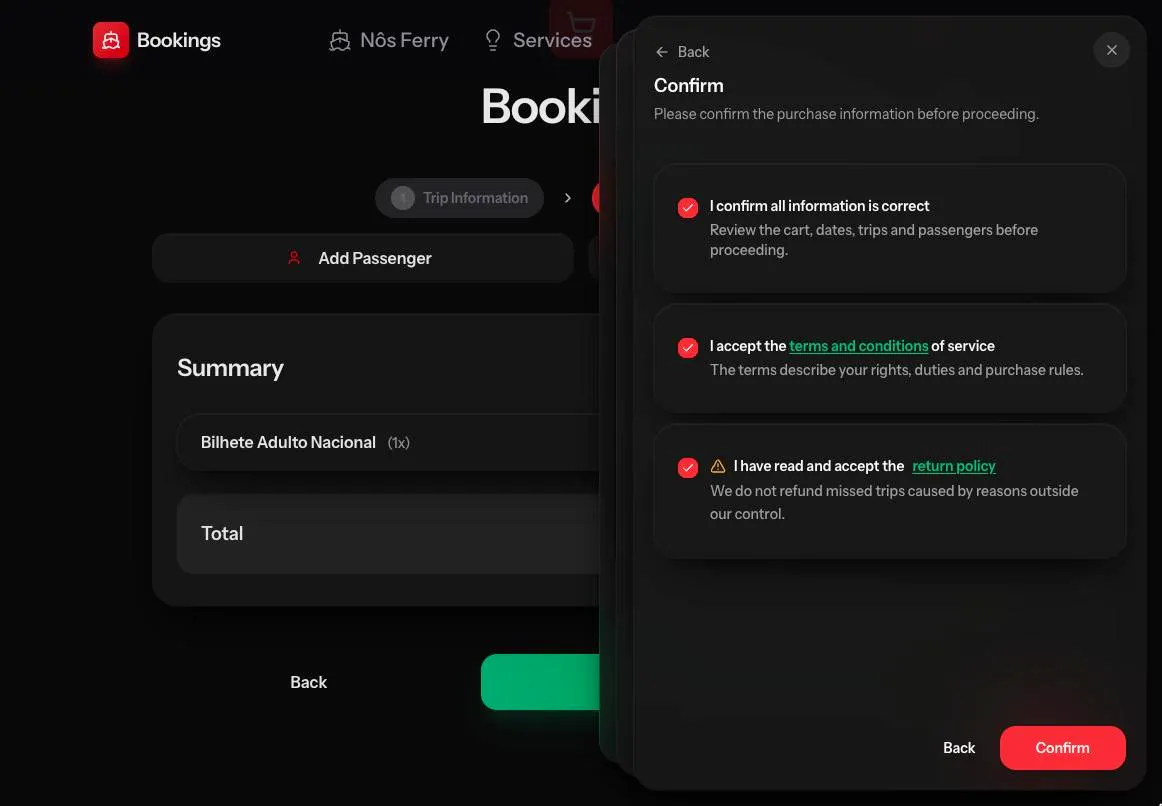
The Pay button opens the checkout as three floating sheets stacked over the booking. The first asks for the buyer’s contact details, the second for the address, and the third is the confirmation. On that step, the buyer confirms the details are right and accepts the terms and the return policy. The return policy line has a warning icon and states its main rule in one sentence: trips missed for reasons outside the company’s control are not refunded.
After that, the payment is processed by SISP with 3D Secure, so the card’s bank can ask the cardholder to approve it.
After paying
The success page shows the purchase reference with a button to copy it, the amount, and a document to download that serves as proof of payment. It’s also the document to attach to a refund request. The page calls it an invoice, but it isn’t the tax invoice with a NIF; that one is requested during checkout, and I’ll cover it in a separate post.
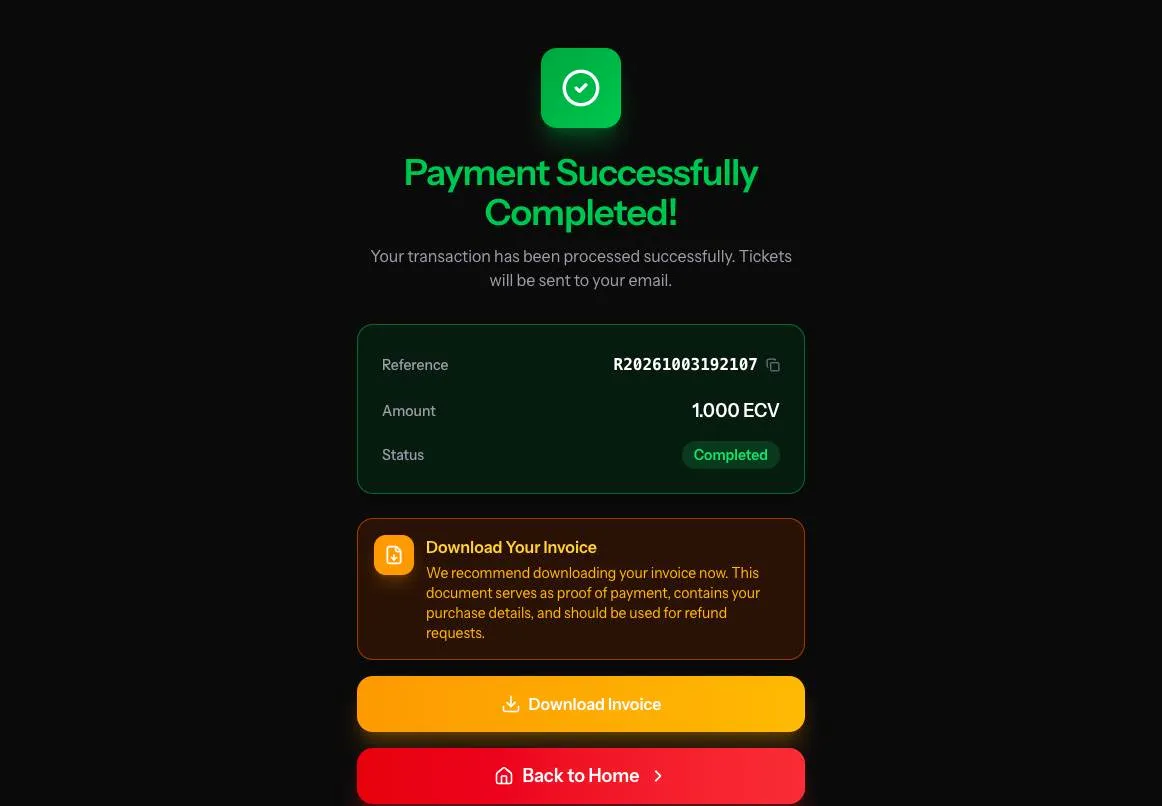
The tickets themselves arrive by email, in the language the purchase was made in. The site is available in Portuguese, English, French and Spanish, with a language selector at the top, so a visitor who booked in French gets French emails.
In closing
Online sales take the routine purchases off the counter and let a passenger sort out the crossing from home. If you’re travelling between São Vicente and Santo Antão, tickets are at nosferry.com.